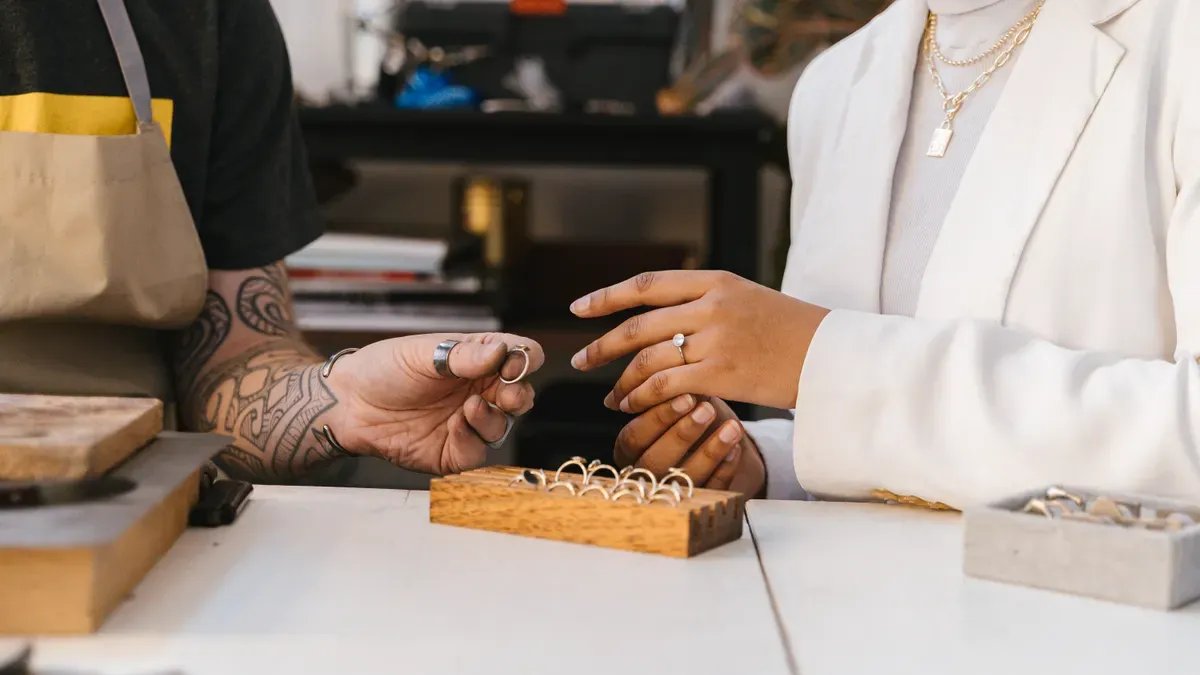
How do you turn a jewelry idea into a manufacturable CAD design with a China jewelry CAD team for concept realization? You start with a clear concept, then move through team selection, briefing, modeling, review, and finalization. Each stage builds on the last, and each one depends on your input. A strong jewelry design begins with decisions you make early: units, naming, and approval points. You can follow a repeatable path from sketch to production-ready file. This guide gives you that path, step by step. You already have the idea. Now you need the process, and you can run it with confidence.
Before you contact a CAD team, write down your design goal, materials, target cost, and audience.
Pick a CAD team that has the right skills, a portfolio that fits your project, and clear communication.
Make a detailed tech pack with sketches, dimensions, and material specs to guide the modeling.
Talk clearly with your team and check the model from all sides. This helps you find problems early.
Check the design to make sure it can be manufactured. Also confirm the file formats and ownership before production.
The CAD process usually begins with a first talk. In that talk, you tell the team your ideas and needs. You can get a head start by having that talk with yourself first. Sit down and answer the basic questions before you contact anyone. This step costs nothing, and it saves hours later.
Write down four things: your design goal, your material choices, your target cost, and your intended audience. Design goal covers the shape, style, and feeling you want the piece to show. Material choices cover the metal and stones you have in mind. Target cost sets a realistic limit for the whole project. Intended audience tells the team who will wear the piece and what they value.
A clear concept sketch or a mood board helps you picture the design direction. You do not need drawing skills. Collect photos, color swatches, and notes about pieces you like. These references give the team a visual anchor for your jewelry design.
Put your vision in writing. This written record later becomes the base of your jewelry tech pack. Good notes give manufacturers clear, exact guidance, so the CAD-based design turns into the final product correctly. Technical specifications also stop misunderstandings by setting a common language between you and the team.
Complete notes let you confirm that your CAD designs are made with precision and meet your intended specifications. Keep your notes simple and organized. List your needs in plain sentences, and attach your sketches and references. When you finish, you hold a complete concept document. Any CAD software team can work from it, and any computer-aided design workflow can carry it forward.
Your concept document is ready. Now you need the right partner to build it. A china jewelry cad team for concept realization should match your design language, your budget, and your schedule. Check candidates on skills first, then on compliance and terms.
Start with technical ability. Ask which platform the team uses and how much experience they have. Rhino 3D is the main jewelry CAD platform, and strong teams also handle solid modeling, surface tools, stone setting, SubD organic modeling, clasp modeling, and 3D printing prep. Workflows that are ready for production matter most. You want real, castable jewelry for casting, stone setting, and 3D printing, not just pretty renders.
Technical Skill | Description / Scope |
|---|---|
Rhino 3D | Core jewelry CAD platform, from introductory through intermediate proficiency |
Solid modeling | Building accurate solid jewelry forms |
Surface tools | Surface modeling techniques for jewelry design |
Stone setting | Accurate stone-setting modeling for production-ready jewelry |
SubD organic modeling | SubD-based organic modeling in Rhino 7+, converting SubD forms into solid NURBS for production |
Clasp modeling | 11 essential clasp modeling techniques |
3D printing prep | Preparing models for 3D printing and casting |
Production-ready workflows | Building real, castable jewelry for casting, stone setting, and 3D printing — not just renders |
The instructor brings 25 years of jewelry manufacturing experience and has trained over 1,000 designers across 20 years of teaching Rhino 3D, including production CAD work for fashion brands — indicating these skills reflect real production requirements rather than purely artistic modeling.
Portfolio relevance comes next. Look for pieces close to your concept in style, stone count, and complexity. Then test how fast they respond. Send a short question and time the reply. Language fit also counts. Clear English saves revision rounds.
Certifications tell you how a team runs its business. Common credentials include:
SMETA / SEDEX — ethical labor and social compliance auditing
RCS (Recycled Claim Standard) — responsible/recycled material sourcing
RJC (Responsible Jewellery Council) — ethical and environmental compliance specific to jewelry
ISO 14001 — environmental management systems
ISO 9001 — quality management systems
BSCI — social compliance
FSC — responsible paper sourcing
SGS — third-party testing/verification
Always ask for copies of certificates and check them directly with the issuing body. Clear working terms matter just as much. Standard CAD development often runs around USD 89.90 per design, with complex designs assessed separately and sample production billed separately. Ask about an NDA before you share sketches. Confirm ownership and usage rights. Once an NDA is signed and the development fee is paid, ownership of custom CAD files and molds can transfer to you.
Perfect Jewelry is one established option. The company holds SMETA, RCS, and Technical Evaluation certifications, and pairs trend-driven jewelry design with scalable production. That profile suits brands seeking an end-to-end partner. Other teams fit narrower needs, such as a single model or a rush job. Compare fairly and pick the fit.
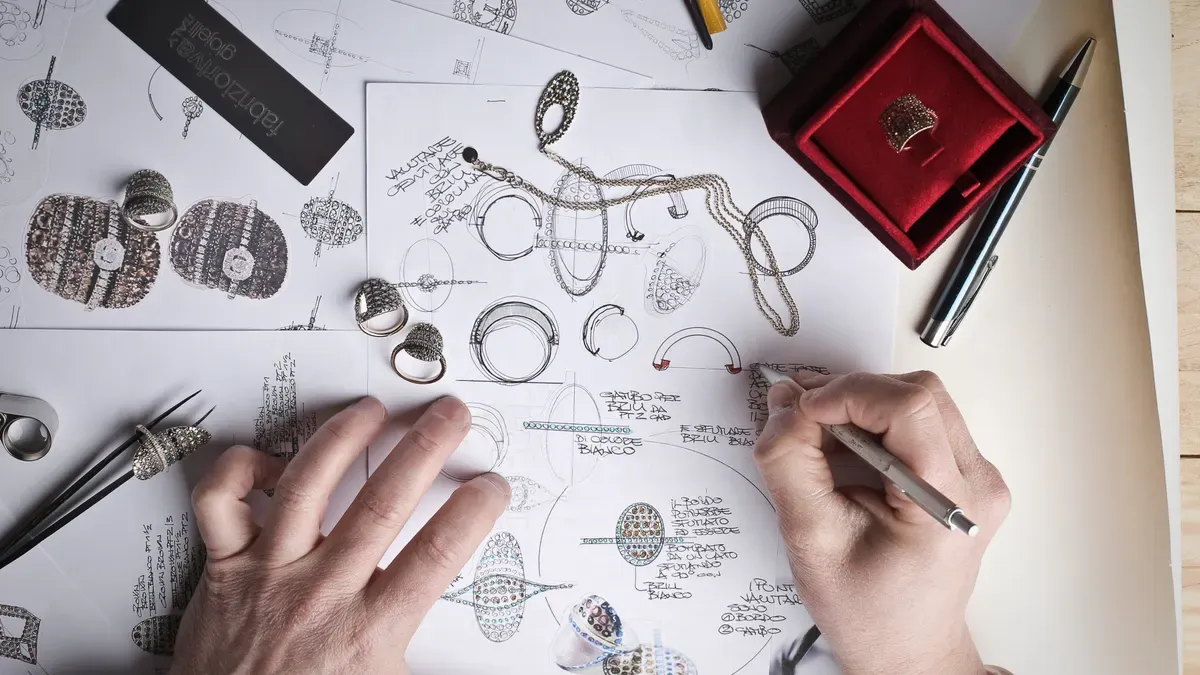
Your concept document is a good start. Now you turn it into a working brief. This brief becomes your jewelry tech pack, and it serves as the single source of truth the CAD team works from. Follow the steps from sketch to tech pack with care, and the modeling stage runs much smoother.
Gather your hand sketches and reference images first. Add exact dimensions, metal and stone specifications, finish requirements, and your target cost. Sketches alone are not enough for manufacturing. Your tech pack must include orthographic projections that show the piece from the top, front, and side. Annotate each view with precise millimeter dimensions, such as shank thickness and setting depth. A single front view cannot communicate these critical measurements.
A complete pack covers several elements:
Visuals: multi-angle CAD screenshots covering top, front, side, and perspective views
Dimensions and tolerances: exact millimeter measurements plus acceptable deviation limits, such as +/- 0.1mm for ring width
Materials and weight: the specified alloy and the estimated metal weight
Mechanical details: explicit instructions for moving parts such as lobster clasps, jump ring soldering, and hidden hinges
Stone and finish: exact gemstone specifications and surface treatments
Metal choice deserves its own line in the brief. The table below shows how common options compare.
Metal | Durability | Typical Use | Spec Note |
|---|---|---|---|
18K Gold | Moderate | Luxury bridal | Rich color but scratches if too thin |
14K Gold | High | Everyday fine jewelry | Best strength-to-cost balance |
925 Sterling Silver | Moderate | Accessible/fashion | Oxidation-prone; specify anti-tarnish plating |
316L Stainless Steel | Very high | Minimalist/men's | Corrosion-resistant; PVD plating only for custom colors |
Stone setting also depends on heat resistance. Cast-in-place wax setting suits heat-resistant stones like diamonds and sapphires. Heat-sensitive stones such as topaz or pearls need traditional hand-setting after casting. This prevents shattering or melting.
Write down your revision expectations, deadlines, and deliverable formats before modeling starts. State how many revision rounds you expect. Name the file types you want to receive. Set a clear deadline for each milestone. These written terms prevent misalignment later.
Your brief also guides the jewelry design direction. A clear pack tells the CAD team exactly what to build, and it reduces guesswork during modeling. Keep the document organized and share it in one file. Update it when your requirements change, and tell the team about each update. A brief that stays current keeps the whole project on track.

Your brief is signed, and the team starts building. Now the project depends on how well you talk to each other. Good communication keeps the model close to your vision. Poor communication turns small issues into costly rebuilds. You control this stage more than you might think.
Write your messages in plain words. Skip technical jargon, and ask for a plain explanation when you feel unsure. A short email that records each key decision prevents most misunderstandings. Screenshots with notes work better than long descriptions. Circle the area you mean, add a note, and send it. The team sees exactly what you see.
Set a regular check-in schedule. A short call or message thread each week keeps everyone on the same page. Then follow a simple loop: the team sends the model, you review it, and you send focused feedback. Each round of revision moves the piece closer to your goal. Structured feedback loops turn your input into usable direction. They also let the team fix small issues before those issues grow.
The table below shows how different partners structure this loop.
Provider/Platform | Feedback & Revision Structure | Benefit |
|---|---|---|
SpecWorks Product Design Services | Visible revision cycles, clean geometry, clear measurements | Supports iterative revisions and downstream fabrication |
Fiverr | Milestone revisions, common manufacturing exports (STL/3MF) | Flexible edits with staged delivery |
Upwork / PeoplePerHour | Milestone-based delivery, iterative revision cycles, file cleanup | Controlled changes via scoped tasks and messaging |
3Design Studio Jewelry CAD | Relies on designer feedback loops; needs reference imagery and specific requirements | Faster CAD convergence |
Fabulously Crafted CAD Jewelry Design | Refines fit and gemstone settings inside the CAD model from clear design intent | Reduces back-and-forth |
A few habits make any loop work better:
Avoid technical jargon, and clarify when unsure.
Use simple images and short emails to record key decisions.
Break the project into stages with feedback at each one.
Keep a design intent document with clear dimensions and tolerances.
Enforce strict version control and label every graphic.
Make scope changes and their timeline impact clear.
This stage is where 3d cad modeling earns its value. The model lets you examine the piece from every angle. You can rotate it, zoom in on a setting, and see how light hits the design. A render from the top view may look perfect while the side view shows a thin wall. Check every angle before you approve.
Decide on file formats before modeling starts. Each format has a job, and mixing them up causes delays. The table below compares the two most common options.
Dimension | 3DM | STL |
|---|---|---|
Nature | Intelligent CAD model storing NURBS math and full construction history | Static mesh shell of triangles |
Editability | Fully parametric — you can change setting radius, band thickness, or patterns | Static; editing is imprecise and cumbersome |
Precision | Absolute mathematical precision; perfect circles and smooth curves | Approximation; low-poly shows faceting, high-res means huge files |
Ecosystem | Best within Rhino, the industry standard for jewelry | Universal — every modeling program exports it and every slicer reads it |
Typical use | All modeling and editing, saved as .3dm | Exported specifically for the 3D printing step |
Match each format to its stage. Keep the native 3DM file as your working model, because it keeps construction history and layers. Export OBJ files for client presentation and renders, since OBJ carries material and texture data. Export STL at high resolution for 3D printing, and STEP for CNC machining.
Set a version-naming convention on day one. A simple system like ring_v01, ring_v02, and ring_v03_final stops confusion. Label each file with the date and a short note. When you open a folder, you should know which file is current without asking. This habit supports the whole computer-aided design workflow, and it protects you if a dispute arises later.
Your cad software choice affects this step too. Rhino remains the standard for jewelry work, and its native 3DM format keeps every edit alive. Ask your team which platform they use, and confirm they can deliver the formats you need. A team that works in Rhino can hand you a clean, editable file at any point.
Version control also helps your jewelry design stay consistent across revisions. If you change a stone size in round three, you can compare it to round two and confirm the change landed. Save every version, even the rejected ones. They become a record of your decisions, and they help the next partner pick up the work.
Clear files and clear talk produce clean 3d jewelry designs. The cad model becomes a shared reference point for you and the team. Treat each review as a small checkpoint, and the final file will match the piece in your head.
The 3D model is finished. Now you check it for design for manufacturability. This step comes after modeling, and what you say here decides if the piece makes it through production. A dfm analysis looks at wall thickness, stone-setting feasibility, tolerances, and structural integrity before you approve anything.
Ask your team for renders from several angles. A top view can hide a thin wall that the side view shows. Ask for a clipping plane through the finger hole and through the stone seats. These cross-sections show hollow pockets that would trap investment during casting. They also show if stones sit too close together for the setter to work.
Compare the model against known limits. The table below lists common requirements for jewelry CAD work.
Design Feature | Recommended Requirement |
|---|---|
General minimum wall thickness | No less than 0.7 mm |
Larger pieces wall thickness | No thinner than 1 mm |
Stone seat depth | Do not exceed ~0.35 mm |
Prong thickness | No prongs thinner than 0.5 mm |
Cleanup allowance (CAD) | Add ~0.1 mm to finished measurements |
Check exact mm measurements against these figures. Confirm the size is right on prong length, seat depth, and shank width. Ask the team to point out any production risk they see. For example, a channel support may measure too thin, or a ball-and-socket joint may fit in CAD but not go together in metal.
Run a final checklist before you sign off. Check finished dimensions and ring size. Confirm metal, stone, and plating assumptions. Check wall, shank, prong, and seat dimensions. Make sure you get the file formats you asked for and the editable source files. Write down the revision number and approval date.
Good CAD software keeps construction history alive, so late fixes stay cheap. Ask if the team allowed for metal shrinkage, since the piece will come out too small without it. Confirm that moving parts have room to work. Then plan your prototyping step. A printed resin model or a cast sample proves the design before you commit to a full run. This is where careful cad & dfm auditing pays off. You catch problems on screen, not in manufacturing.
You have a model that is approved. Now you finish the process and get ready to design jewelry for production. This stage covers the files you get, the rights you hold, and the path from screen to shelf.
Ask for every format your workflow needs. Common jewelry production file formats include:
3DM — the editable Rhino working file
STL — the mesh file for printing and casting
OBJ — the presentation file with material data
Not every team gives you all three. Confirm the exact formats before you sign off. Write down the CAD program and version, the output format, the units, and the reference dimensions. Test a sample file when the team offers one.
Ownership needs the same care. A bought design usually comes with a license that controls allowed use and limits sharing of the digital files.
The purchase is a digital CAD file only. It does not include making or shipping a finished piece. If the license limits sharing, confirm your planned handoff is allowed before you pass on raw files.
Get the handoff paperwork in writing. A short note listing the final version, the approval date, and the rights granted protects you later.
A precise 3d cad file opens several doors. You can send it to a manufacturer, ask for a prototype, or grow it into a collection. Prototyping comes first for most brands. Build a physical sample to test weight, drape, durability, and manufacturability. Plan that window early.
A prototype that shows a structural flaw before bulk production saves the cost of a bad run and the reputational cost of a piece that fails in the field.
After sample approval, move into production planning. Confirm capacity, set order quantities by SKU, and build your cost structure. Then prepare photography and a launch plan before inventory arrives. Treat each stage as a gate, and keep a shared timeline with your manufacturing partner.
Partners like Perfect Jewelry can bridge your CAD files into scalable production. Their team pre-calculates shrinkage for casting, builds master models, and runs mass production and quality control under one roof. That continuity helps you bring your design to scale without losing the details that define your jewelry design. Whether you need custom jewelry manufacturing for one style or a full seasonal line, a partner with casting and commercial production experience turns your files into repeatable pieces.
A clear budget and a realistic schedule keep your project safe from surprises. Both depend on choices you make before modeling begins. Put them in writing, and you stay in control of the whole project.
Several things drive your modeling cost. Design complexity comes first: detailed engraving, filigree, or many gemstones adds modeling time. Stone count matters too, because complex settings like pavé or channel need checked stone counts and structure. Each extra angle, metal color, or stone variation adds cost. Rush turnaround costs extra, and so does animation or interactive rendering.
Revisions need their own line. Agree on a revision limit before work begins, and confirm what counts as major versus minor. The table below shows one common structure.
Revision Type | Included | Additional Cost |
|---|---|---|
Concept variations (AI renders) | Up to 5 | $25 each |
CAD design revisions | 2 rounds | $75 per round |
Wax model adjustments | 1 round | $150 per round |
Metal or stone type change after CAD | Case by case | Quoted individually |
Each revision round in custom jewelry usually costs $50–$300 in labor. A project with five revisions can lose $500–$1,500 in unpaid labor. A revision limit keeps both sides protected.
Payment terms differ by team, so read them closely. One common structure asks for a non-refundable $250 CAD design deposit, credited toward the total balance. Another asks for a 50% deposit when you accept the quote, with the final balance due before shipment. Milestone-based platforms split fixed-rate jobs into stages, hold funds in escrow, and give you 14 days to request revisions or approve.
Build your schedule backward from your target date. Most custom projects take 4 to 8 weeks minimum, and simple solitaire rings run 4–6 weeks. Start at least 8 to 12 weeks ahead to allow a comfortable buffer.
Build at least two weeks of buffer into your project timeline for sourcing delays, especially if you are requesting a specific lab-grown diamond grade or a rare colored stone.
Confirm the stone before design starts. A mid-project gemstone change forces CAD rework and adds weeks. Plan your prototype and prototyping window early, and treat each milestone as an approval gate. Good planning keeps manufacturing costs predictable through casting and final production.
You now have a step-by-step process you can use again for any jewelry idea:
Define your idea.
Get your tech pack ready.
Talk with your team during modeling.
Check the design for manufacturability.
Finalize your files.
Manage your costs and timeline.
Three habits make this process work. A clear idea gives your team a fixed goal to aim for. A well-picked team brings the right skills and fair terms. Steady communication keeps every revision on track. Together, these habits turn a rough idea into a file ready for production.
Start with Step 1 today. Write down your design goal, materials, target cost, and audience. Then prepare your design brief. Your first CAD model is closer than you think.
Most custom projects take 4 to 8 weeks minimum. Simple solitaire rings run 4 to 6 weeks. Start at least 8 to 12 weeks ahead, and build in a two-week buffer for sourcing delays.
Plan for two CAD revision rounds as a baseline. Each extra round in custom jewelry usually costs $50–$300 in labor. Agree on a revision cap before modeling starts, and confirm what counts as major versus minor. This protects both sides.
Ask for the editable 3DM working file, an STL mesh for printing and casting, and an OBJ file for presentation. Confirm the CAD program and version, the units, and the reference dimensions. Test a sample file when the team offers one.
No. You need a clear concept document, a written tech pack, and plain-language feedback. Annotated screenshots work better than technical terms. The team handles the modeling. Your job is to define the goal and review each stage.
A mid-project gemstone change forces CAD rework and adds weeks to your schedule. Confirm the stone before design starts. Treat each milestone as an approval gate. A printed resin prototype proves the design before you commit to a full run, and prototyping early catches problems on screen rather than in production.


 EN
EN
 English
  Italian
  Spanish
  Ukrainian
  Japanese
  Norwegian
  Portuguese
  Korean
  Russian
  French
  Danish
  German
  Arabic
  Back to List